Add to Server
Add TopStats to your server and use its full potential to enhance your server.
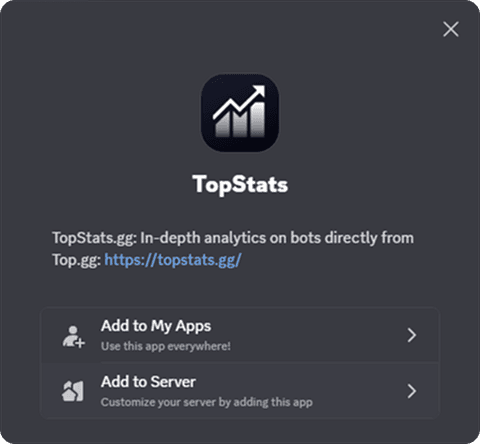
Step 2 Click Add to Server
 Now click Select a
server. A drop-down menu should appear including all servers you got
Now click Select a
server. A drop-down menu should appear including all servers you got
Manage Server or Administrator permissions in. Select the server you want the bot to join.
Afterwards click Continue.
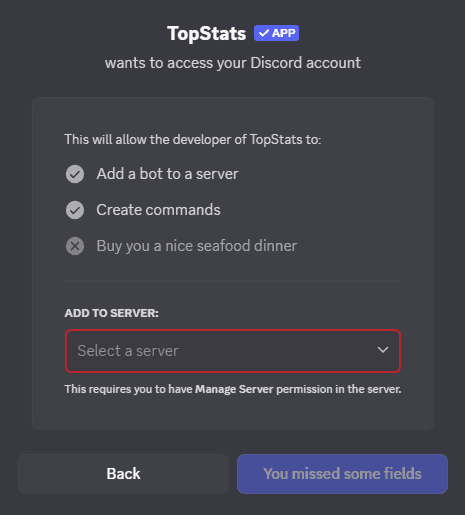
Step 3 After selecting a server, you should see something like this:
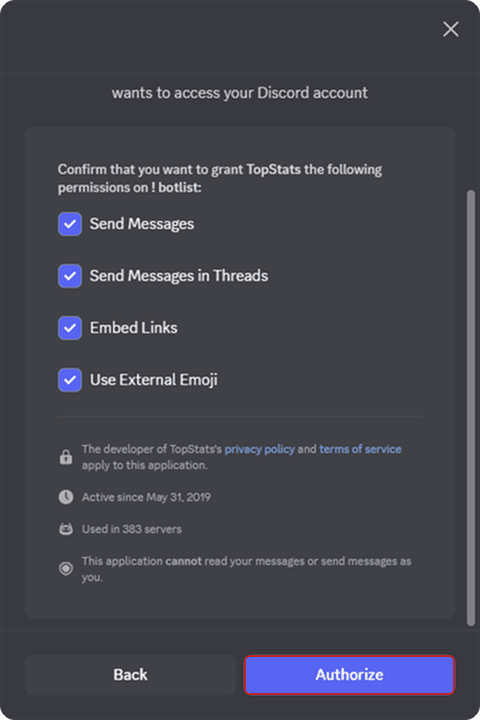 As long
you are not experienced with Discord's permissions system, keep all
permissions selected. Click the Authorize button and complete the
Captcha.
As long
you are not experienced with Discord's permissions system, keep all
permissions selected. Click the Authorize button and complete the
Captcha.